How to build an Android and iOS app: from idea to the app stores
Clients usually arrive with the screens already pictured and one question: how much does an app cost? The screens are less than half the work. Here's what the road to the App Store and Google Play really involves, using an app in 15 languages as the example.
 Samandar MaxamadjonovMobile developer
Foydali Nuqtalar has both Google sign-in and Sign in with Apple. The second one isn't there because the client asked for it. It's there because sending an iOS app with Google sign-in but no Apple sign-in to review is asking for trouble: the rule is well known, and it's easier to put it in the plan on day one than to bolt it on right before release.
That small detail sums up this article. Building an app's screens is a well-understood task. Everything around the screens is what eats the schedule: the backend, sign-in, push, payments, and the rules of two different stores.
The big picture first. These are the stages in the order we go through them with clients.
- Idea and first version. We write down what the app does in version one. Not everything you'd like, but the minimum that makes people install it.
- Design and prototype. Screens in Figma, a clickable prototype. This is where the client first "holds" the app, and they almost always change something.
- Backend and API. The server, the database, and an admin panel where the client manages content and users.
- The mobile app. One codebase for Android and iOS.
- Testing on real phones. Not just the developer's iPhone, but also a cheap Android with a small screen.
- Publishing. Developer accounts, description, screenshots, privacy policy, review.
Stage six looks like a formality. It isn't, more on that below.
Flutter, React Native or native
We write in Flutter. It's not a religion, it's arithmetic for a studio our size: one codebase, one developer can handle both platforms, and the UI looks the same on Android and iOS.
- +One codebase for Android and iOS, typically 30–40% less time than two native apps
- +Its own rendering engine, so the UI doesn't drift across Android versions
- +Fast hot reload, changes show up in a second
- +Good packages for Firebase, Apple and Google sign-in, payments
- −Bigger app size than native
- −New iOS and Android features reach Flutter with a delay
- −Heavy camera, AR or Bluetooth work sometimes needs native code
React Native is a perfectly good choice if your team is already strong in React on the web. Native development in Swift and Kotlin makes sense when the app works deeply with hardware, or when the budget allows for two teams. For most of what our clients need (catalogues, bookings, content, user accounts) Flutter is more than enough.
The backend: the half nobody sees
Clients are often surprised that an app has a server. It almost always does: users, purchases and content have to live somewhere, and someone has to manage them without a programmer.
Foydali Nuqtalar's backend is Django and DRF. That's where users, book chapters, translations and transactions live. Through the admin panel the client adds content, sees payments and sends push notifications. Push goes through Firebase Cloud Messaging on Android and APNs on iOS.
One piece of advice: build the admin panel from the start. Without it, every typo in the text turns into a developer task and a new release in the store.
15 languages and other Foydali Nuqtalar surprises
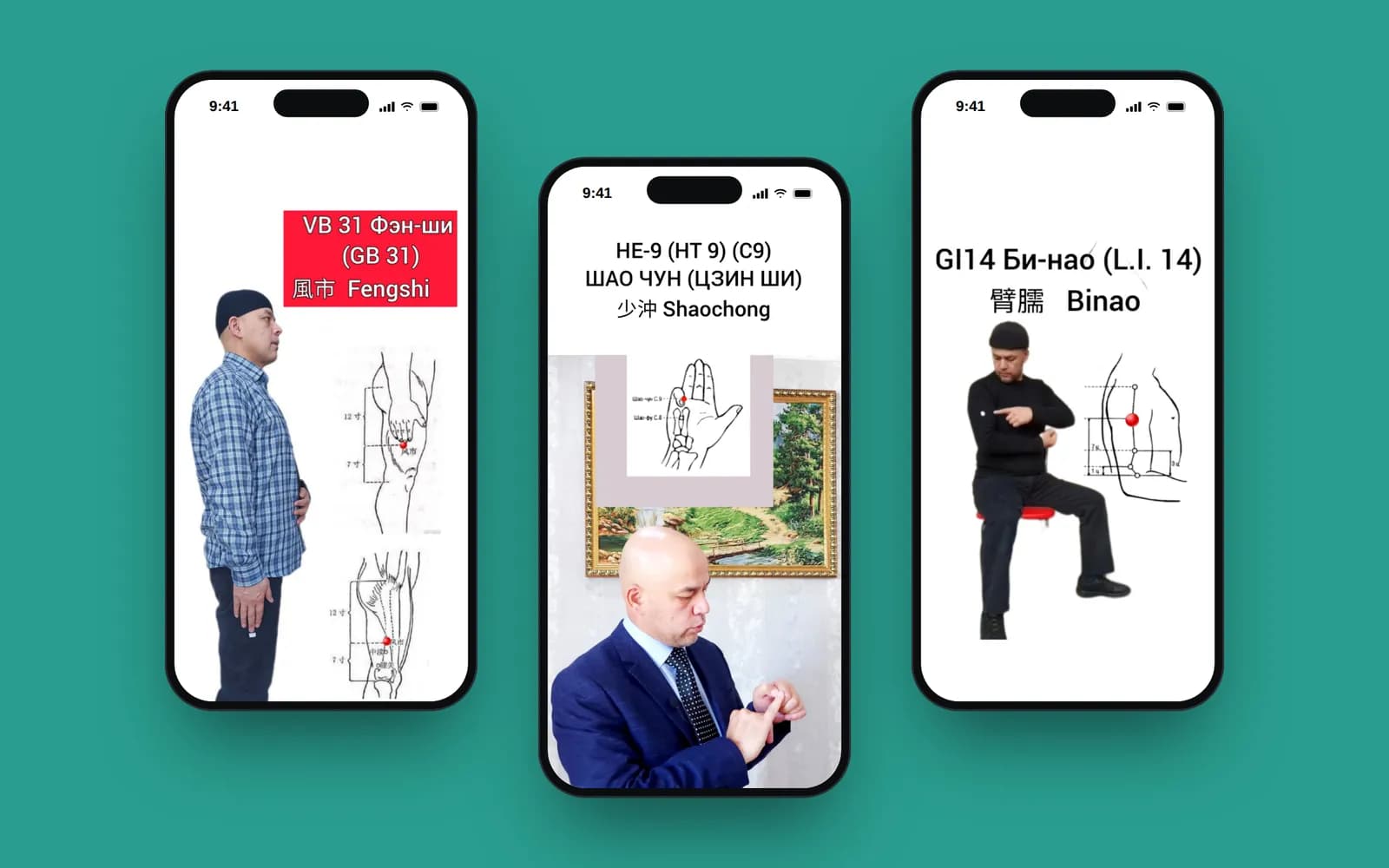
Foydali Nuqtalar is a paid self-help book on acupressure. The client wanted an audience well beyond Uzbekistan, so the language list grew long.
The 15 languages include English, Russian, Uzbek in both Latin and Cyrillic script, French, Spanish, Turkish, German, Swahili and Indonesian. And three right-to-left languages: Arabic, Urdu and Persian. For those, the whole interface has to mirror: the Back button on the right, arrow icons flipped, padding reversed. Flutter supports this, but you still have to check every screen with your own eyes.
Surprise number two: word length. A button that fits on one line in English wraps in German and overflows the edge in Cyrillic Uzbek. That's why screens should be checked in the longest language, not in Russian.
Number three: translating the content. The UI is a few hundred strings; the book is dozens of chapters. Translations are stored in the database (django-parler) and added through the admin as they're ready, with no new store release.
Payments: decide before the first line of code
This is the most common planning mistake. The payment model affects the architecture, the review process, and how much money actually reaches the client.
Apple and Google have in-app purchases with a store commission, usually 15–30%. For digital content inside an app, that's what the stores expect. For physical goods and services you can plug in regular payment providers.
In Foydali Nuqtalar, book chapters open after payment. The user sends a receipt through a Telegram bot, an operator approves it in the admin panel, and the chapters open in the app. For a local audience this is a familiar flow: pay by transfer, send a screenshot of the receipt. But you need to check a model like this against the stores' current rules up front, because they change.
App Store and Google Play review
Apple reviews every update by hand, usually in one to three days. Google is mostly automated, but since November 2023 new personal developer accounts have an extra requirement: before going live, the app must run a closed test with 20 testers for 14 days. If you're opening the account as an individual, put those two weeks in the plan. An Apple developer account costs $99 a year; Google Play is a one-off $25.
Before submitting for review, we go through this list:
- Sign in with Apple is there if any other third-party sign-in is
- The account can be deleted from inside the app
- The privacy policy is published at a URL and listed in both stores
- The data forms are filled in: App Privacy in the App Store, Data safety in Google Play
- A test account with access to paid content is ready for the reviewer
- Screenshots cover the required screen sizes, including iPad if the app runs on it
- Push permission is requested at a sensible moment, not on the first screen
- Without internet the app at least shows a clear error message
The reviewer test account is where people trip up most often. If the reviewer can't get into the paid section, they reject the app and ask for access. That's another two or three days gone.
Timeline and budget
The timeline depends on scope, but the proportions between stages are usually similar for us. Below is a typical split for a mid-sized app, roughly, based on our projects.
Stages partly overlap, so the total isn't 21 weeks but usually three to four months. Budget-wise, a mobile app with us starts at $1,600, and that includes the backend and publishing. If you want to test the idea on a prototype first, you can order the design separately: UI/UX design starts at $600.
Three pieces of advice before you start
Put Apple sign-in and account deletion into the plan on day one, together with the stores' other requirements. Check your screens in the longest language and in an RTL language before everything is laid out, not after. And ask yourself honestly whether you really need an app store at all. Sometimes a Telegram bot is enough for version one, and the app can come once it's clear people actually need it.
You can find more about the project in the Foydali Nuqtalar case study.