How to count leads when customers message on Telegram, not call
In Uzbekistan a customer is more likely to tap “Message us on Telegram” than to call or fill in a form. For analytics that's a black hole: the person has left the site, and your counters lose sight of them. Here is how we close that hole without paid tools.
 Mirodil OrtiqovBackend developer
A familiar picture: Google Analytics shows zero conversions for the month, while the manager says they can't keep up with Telegram. Both are right. The site simply hands the person over to the messenger, and at that moment the chain breaks. The ads think they aren't working. The owner thinks word of mouth is doing the job. The budget gets cut in the wrong place.
I'm a backend developer, and I like this problem because it isn't solved with marketing tools at hundreds of dollars a month but with a few dozen lines of code and some discipline. Below is what we put on our own projects, step by step.
Where the source gets lost
It helps to first see where the "where did this person come from" information disappears. There are three places, each with its own fix.
| Where it breaks | What you see without setup | What you can do |
|---|---|---|
Click on a t.me/... link on the site |
Nothing, or an "outbound click" with no details | An event in GA4 and a goal in Metrica |
| The person opens the bot | The /start itself, source unknown |
A start parameter in the bot link |
| The person messages a manager directly | Only the conversation | Ask, match by time, keep a spreadsheet |
| A form on the site | The lead exists, the source often doesn't | Send UTM and page along with the lead |
The last row isn't about Telegram, but we added it because forms that send leads to a Telegram channel exist on nearly every site we build, and the source is easy to lose there too.
Step 1. A t.me click as an event
The simplest and most underrated step. GA4 with enhanced measurement records outbound clicks on its own, but lumped together with clicks to Instagram and maps. Metrica has a "Messenger click" auto-goal. That's not enough for me: I want a separate event with a clear name that can later be imported into Google Ads and Direct.
The minimal code we put on the site:
document.addEventListener('click', (e) => {
  const link = e.target.closest('a[href*="t.me/"]');
  if (!link) return;
  const params = { link_url: link.href, page: location.pathname };
  window.gtag?.('event', 'telegram_click', params);
  window.ym?.(COUNTER_ID, 'reachGoal', 'telegram_click', params);
});
One handler for the whole document rather than one per button. Buttons get added, moved, the designer changes the layout, and the event keeps working. GA4 sends these events via sendBeacon, so they get out even if Telegram opens in the same tab.
Step 2. UTM tags that survive into the bot
With a bot you can do something you can't with a personal account: pass it a tag. A link like https://t.me/YourBot?start=google_brand opens the bot, and when the person taps "Start", the bot receives the command /start google_brand. The person never sees the tag.
The start parameter has strict limits: up to 64 characters, Latin letters, digits, _ and - only. No = or &, so a full UTM string won't fit. We compress it into a short code right on the site:
const p = new URLSearchParams(location.search);
const src = (p.get('utm_source') || 'direct').slice(0, 20);
const cmp = (p.get('utm_campaign') || 'none').slice(0, 30);
const code = `${src}__${cmp}`.replace(/[^A-Za-z0-9_-]/g, '');
document.querySelectorAll('a[href^="https://t.me/YourBot"]')
  .forEach((a) => { a.href = `https://t.me/YourBot?start=${code}`; });
In an aiogram 3 bot we pick the tag up with one filter and store it with the user:
@router.message(CommandStart(deep_link=True))
async def start_from_link(message: Message, command: CommandObject):
    await save_source(message.from_user.id, command.args)  # "google__brand_ru"
    await show_main_menu(message)
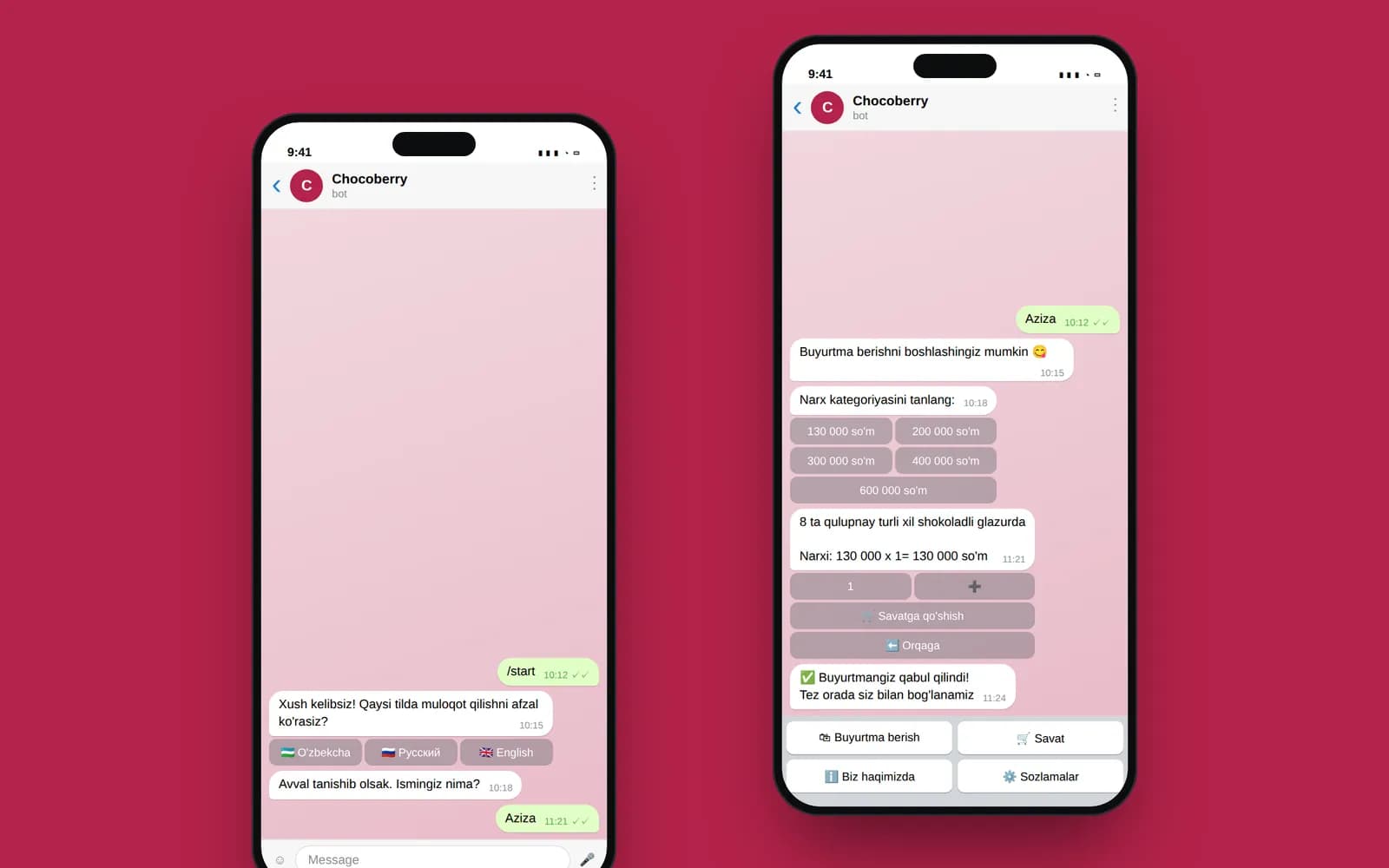
After that it's simple. When the user places an order, the bot adds the stored source to the message for operators. It looks roughly like this:
Now, honestly, where we didn't do this. In the Chocoberry Queen bot, orders go to the operators' channel with the address, a map pin and a link to the order in the admin panel, but we didn't build start parameters into it in 2024. At launch it seemed unnecessary: the bot was brand new, and we were thinking mostly about the catalogue and delivery. You can add tags at any time, but you can't recover history retroactively: if the owner wants to compare, say, Instagram targeting with blogger promotions, there will simply be no data for the first months. Now start parameters are in our template for every new bot from day one.
What if customers message a manager directly rather than the bot? You can't pass a tag to a personal account: a t.me/username link has no start parameter. We have three workarounds here, none of them perfect. First: point ads at a bot that greets the person, stores the source and immediately offers a button to reach a live manager. Second: a separate work account just for ads, so at least ad conversations can be told apart from the rest. Third, and simplest: in the very first reply the manager asks how the person heard about you and files the chat into a labelled folder. It's manual, but for twenty conversations a week it takes a couple of minutes.
Step 3. Form leads straight into Telegram
Even when most people message you, the site still needs a form: some don't want to chat, some visit from a work computer without Telegram installed. So that form leads don't get lost in email, we send them to the sales team's Telegram group or channel.
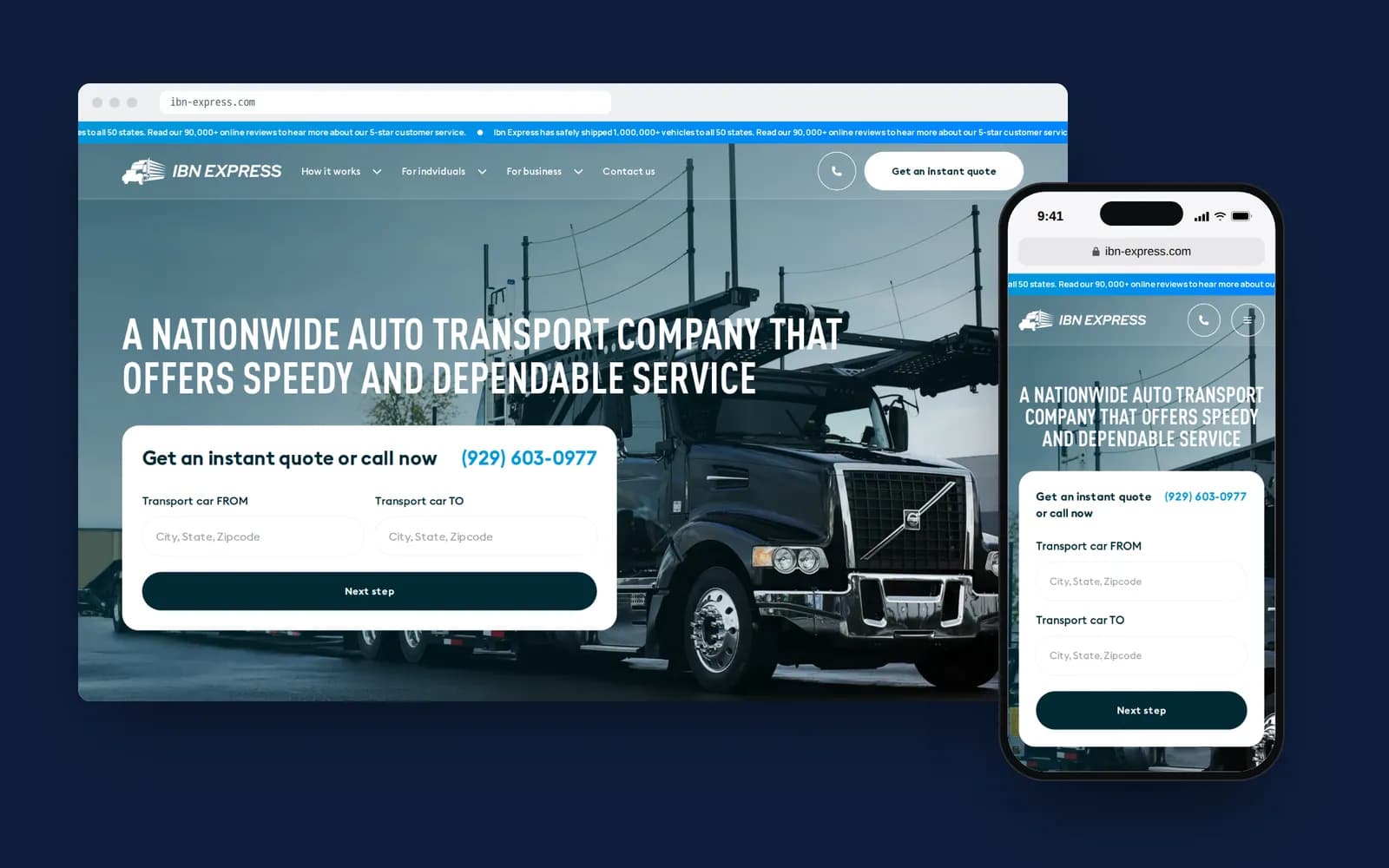
That's how the IBN Express site works: a person fills in a car-shipping quote (from, to, year, make, model, transport type, date), the lead is saved to the Django database and in the same second goes out as a message to the sales Telegram channel. The manager sees everything needed for the call and doesn't open any CRM.
If I were building that form today, I'd add two more lines to the message: the page the lead came from and the UTM tags. Technically that's three fields in the request: source: location.pathname, utm: location.search, and a timestamp. It's standard for us now; back then we were only thinking about response speed.
A few practical details we tripped over:
- the bot token lives only on the server, in environment variables. Never send Telegram messages straight from the browser; the token will leak on day one;
- the Telegram message is sent after the lead is saved to the database, not instead of it. The Telegram API sometimes returns errors, and the lead has to survive;
- spam needs at least a hidden honeypot field and reCAPTCHA v3. Without them, bots flood the channel within a month.
A spreadsheet instead of end-to-end analytics
End-to-end analytics is expensive at big companies because it links ads, site, calls and CRM automatically. For a small Tashkent business with dozens of leads rather than thousands, a spreadsheet and fifteen minutes a week are enough.
What we do every week on projects where we run ads:
- Export
telegram_clickevents and form submissions from GA4 and Metrica by source - Count leads in the sales Telegram channel, split by bot and form tags
- Ask the manager how many direct chats came in without tags, and where customers say they came from
- Mark how many leads got to payment (only the manager knows this)
- Write one row per source into the sheet: clicks, leads, payments, spend
- Compare with last week, and only then touch the ads
After a month of this spreadsheet you'll see, for the first time, the cost not of a click but of a paid order for each channel. It often turns assumptions upside down: the channel with the cheapest clicks turns out to be the most expensive per payment.
The manager should still ask "How did you hear about us?". People don't always remember precisely, but combined with the tags the picture comes together.
If you're still deciding whether you need a bot or whether a site with a Telegram button is enough, Azamat covered that in what to build first: a bot or a website. And if you already have a bot but it doesn't pass tags, that's a couple of hours of work: message @Azamat_yamin on Telegram and we'll take a look, or see our Telegram bot development page.